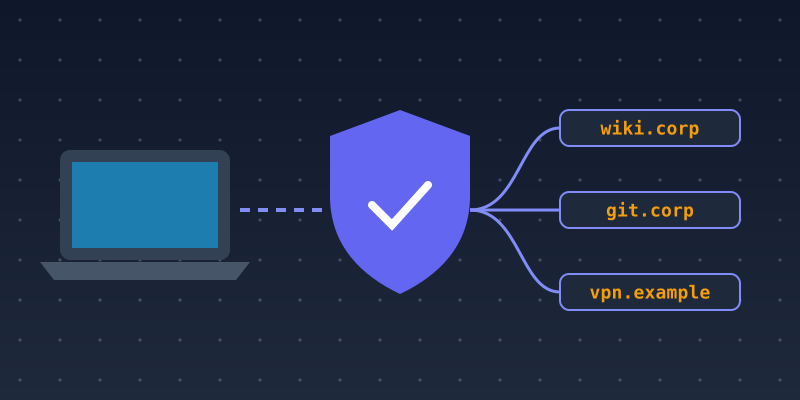
When most employees worked in an office, internal tools such as wikis, code repositories, dashboards and admin panels often lived on a private network that only office computers could reach. Remote and hybrid work changed that. Teams now need those tools from home, on the road and on personal networks. Many organizations responded by putting tools on subdomains such as wiki.example.com or vpn.example.com. This guide explains the risks and the practices that keep remote access secure.
The problem: internal tools become discoverable
Once an internal tool has a public DNS name, it can be found. Attackers and researchers routinely enumerate subdomains using several methods:
- Certificate Transparency logs. Publicly trusted TLS certificates are logged, and the hostnames on them can be searched.
- DNS enumeration. Guessing common names like
vpn,git,jiraoradminand checking which ones resolve. - Passive DNS and search engines. Historical DNS data and indexed pages reveal hostnames that were once used.
Assume any public subdomain will be found. A hard-to-guess hostname is not protection on its own.
Choose the right access model
VPN. A traditional VPN puts the remote device on the internal network, and internal tools stay off the public internet. Only the VPN gateway, often on a subdomain like vpn.example.com, is exposed. Keep the gateway patched promptly, because VPN appliances are frequent targets.
Identity-aware access (zero trust). In this model, each internal application sits behind an access proxy that checks the user's identity, and often the device's security status, on every request. Tools can have public hostnames, but nothing is reachable until the user signs in through your identity provider. This avoids giving remote devices broad network access.
Many organizations use both. Whichever you choose, require multi-factor authentication and single sign-on, so access can be granted and removed in one place.
Use split-horizon DNS for truly internal names
Split-horizon DNS serves different answers to internal and external clients. Internal-only hostnames resolve only through company DNS resolvers, for example over the VPN, and do not appear in public DNS at all. This reduces what outsiders can learn about your infrastructure. Document the setup carefully, because split DNS can be confusing to troubleshoot.
Think about certificates
Because public certificates are logged, issuing a separate certificate for every internal tool publishes a list of your tools. Options include:
- a wildcard certificate such as
*.corp.example.com, which hides individual hostnames, at the cost of a wider impact if its key leaks; - a private certificate authority for internal-only names, with its root certificate distributed to managed devices;
- accepting that names are public, and relying on strong access controls instead.
See SSL Certificates for Subdomains for the trade-offs between certificate types.
Reduce what is exposed
- Never expose admin panels, databases or monitoring dashboards directly to the internet.
- Put remote-access tools on a dedicated subdomain or separate domain, not on the same hostname as public services.
- Avoid descriptive names that reveal software versions or the purpose of sensitive systems.
- Rate-limit and log authentication endpoints, and alert on unusual sign-in patterns.
Clean up when people and tools leave
Remote teams change quickly, and so do their tools. When an employee leaves, remove their access through the identity provider and revoke any personal tokens or keys. When a tool is retired, remove its DNS records and cancel any cloud resources they point to. A forgotten CNAME to a cancelled service can lead to subdomain takeover.
Keep an inventory
Maintain a list of every subdomain: who owns it, what it points to and whether it should be public. Review it regularly against your DNS zone and Certificate Transparency results. The inventory is your best defense against forgotten, exposed systems.
Summary
Remote work made internal tools reachable from anywhere, and subdomains are often how that access is provided. Assume every public hostname will be discovered. Protect tools with strong identity-based access or a VPN, keep truly internal names out of public DNS, choose a certificate approach on purpose and clean up promptly. For the wider picture, read 10 Subdomain Strategies for Growing Businesses.