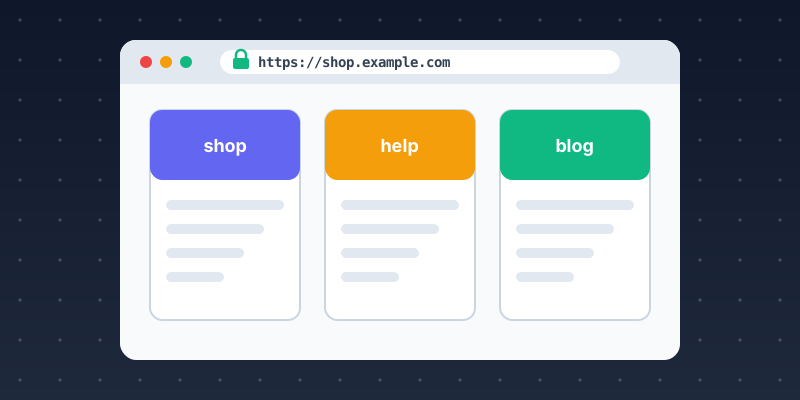
For many organizations, an online presence is more than one website. A shop, a blog, a help center and a customer portal may each run on different platforms. Subdomains let you bring them together under one recognizable domain name. Used well, they make your brand look consistent and trustworthy. Used carelessly, they create broken links, security warnings and confused visitors. This guide covers the decisions and setup steps that matter.
Decide when a subdomain is the right tool
A subdomain such as shop.example.com is a good fit when a section of your presence:
- runs on a different platform or server, such as a hosted store, help desk or status page;
- is managed by a different team or vendor;
- serves a different audience, such as a customer portal or developer documentation;
- needs separate security or performance settings.
If the content is closely related to your main site and you want it to share search visibility, a subdirectory such as example.com/blog/ is usually simpler. Our comparison of subdomains and subdirectories explains why.
Choose clear, consistent names
Visitors read hostnames to decide whether a link is genuine. Short, descriptive names like help, shop, docs and status are easy to recognize and hard to confuse with phishing domains. Use the same names everywhere: in navigation, email footers and printed material. Avoid creating many similar names for the same purpose.
Keep the branding consistent
Each subdomain may use a different platform, but it should still look like the same organization. Use the same logo, colors, favicon and footer links on every site, and link back to the main site from each one. A visitor should never wonder whether they have left your website.
Set up DNS correctly
Most subdomains need one of two record types:
- An A or AAAA record when you host the site on your own server with a fixed IP address.
- A CNAME record when a provider gives you a hostname to point to, which is common for hosted shops, help desks and CDNs.
Follow the provider's instructions exactly, and remove the record if you stop using the service. Our guide to creating and configuring subdomains shows each step, and DNS Records Explained covers the record types.
Use HTTPS everywhere
Browsers mark sites without HTTPS as not secure, and that damages trust immediately. Make sure every subdomain has a valid certificate that renews automatically. Many hosted platforms issue certificates for you once your CNAME is in place. Redirect HTTP to HTTPS on every hostname.
If you use HTTP Strict Transport Security (HSTS) with the includeSubDomains directive, every subdomain must support HTTPS. Otherwise, any that do not will become unreachable. Check every hostname before you turn it on.
Handle redirects and canonical URLs
Pick one canonical form of each address, for example https://www.example.com or https://example.com, and redirect the other to it with a permanent (301) redirect. When content moves between a subdomain and a subdirectory, redirect each old URL to its new home rather than to the homepage. Use canonical tags where the same content is reachable at more than one address.
Connect search and analytics
- Search Console. A Domain property verified with a DNS TXT record covers all subdomains and protocols at once. Prefix properties cover a single hostname. Submit a sitemap for each subdomain that has indexable content.
- Analytics. Decide whether subdomains should be measured as one site or separately. Many analytics tools can track users across subdomains of the same domain, but check your configuration so that sessions are not split or double counted.
Protect the presence you have built
Every subdomain carries your brand, so a compromised or abandoned one hurts the whole organization. Keep an inventory of your subdomains, remove DNS records for retired services to prevent subdomain takeover, and set security headers such as Content-Security-Policy and X-Content-Type-Options on each site. Protect your DNS and registrar accounts with multi-factor authentication.
Summary
Subdomains help you present many services as one organization. Use them when there is a real technical or organizational reason. Name them clearly, keep branding consistent, set up DNS and HTTPS carefully, redirect cleanly, and connect them to search and analytics. Keep an inventory so nothing is left behind. For more ideas, see 10 Subdomain Strategies for Growing Businesses.