Understanding Subdomains: What They Are and How They Work
Subdomains are a foundational concept in web architecture that every developer, site owner, and IT professional should understand. Whether you are setting up a development environment, building a multi-tenant application, or simply trying to organize your web presence, knowing how subdomains work gives you precise control over your domain structure.
What Is a Subdomain?
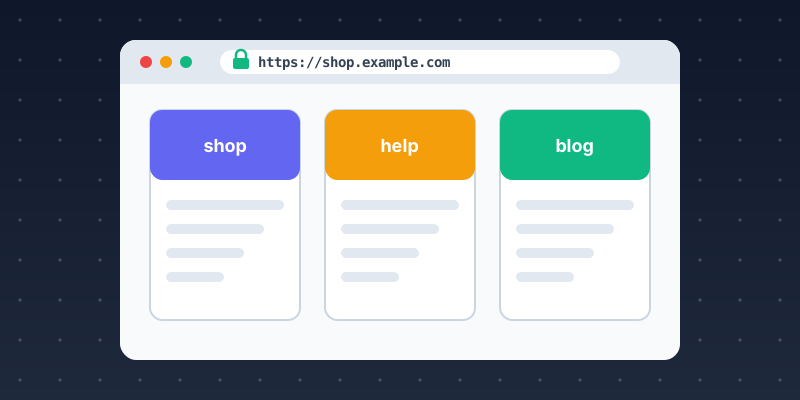
A subdomain is a prefix added to a domain name, separated by a dot. In blog.example.com, "blog" is the subdomain, "example" is the second-level domain, and "com" is the top-level domain (TLD). Technically, the entire domain name — including the TLD — is structured hierarchically from right to left, and subdomains extend that hierarchy to the left. You can have multiple levels: api.v2.staging.example.com is a valid (if cumbersome) four-level subdomain.
From a DNS perspective, a subdomain is a separate DNS entry. Creating blog.example.com requires adding an A record (pointing to an IP address), CNAME record (pointing to another hostname), or other record type for "blog" in your domain's DNS zone. This is distinct from having a /blog path on your existing server.
Subdomains vs. Subdirectories
The choice between blog.example.com and example.com/blog has real implications. From an SEO perspective, subdirectories generally concentrate link equity and authority on the root domain, while subdomains are treated as separate entities by search engines (though Google has become more nuanced about this). From a technical perspective, subdomains can point to completely separate servers, applications, or hosting accounts, while subdirectories share the same server configuration.
How DNS Resolves Subdomains
When a browser requests app.example.com, it queries your domain's DNS nameservers for the "app" record in the example.com zone. The nameserver returns the IP address (A record) or hostname (CNAME) configured for that subdomain. If no record exists, the query fails and the browser returns a DNS error. Wildcard DNS records (* .example.com) can route any undefined subdomain to a default server, which is useful for dynamic subdomain creation in multi-tenant applications.
Common Subdomain Use Cases
Standard subdomain conventions include: www (the main website, often a CNAME to the root domain), api (RESTful API endpoints), app (web application), mail (email server), staging or dev (development environments), cdn (content delivery), docs (documentation), and status (system status page). Multi-tenant SaaS applications often use customer-specific subdomains like acme.yourapp.com.
Read our next article on creating and configuring subdomains, or use our subdomain lookup tools to explore existing subdomain configurations.