What Is a Subdomain? A Complete Beginner Guide to Subdomain Basics
A subdomain is a prefix added to the beginning of a domain name, separated by a dot, that creates a distinct web address under the same root domain. The "www" in www.example.com is technically a subdomain — one so common it is nearly invisible. But subdomains can be anything: blog.example.com, shop.example.com, api.example.com, or staging.example.com. Understanding how subdomains work, when to use them, and how they behave in DNS is foundational knowledge for anyone managing a website, web application, or internet infrastructure.
How Subdomains Work in the DNS System
The Domain Name System (DNS) is organized as a hierarchy. Your root domain (example.com) is registered with a registrar and has DNS records managed at your DNS provider. Creating a subdomain means adding a DNS record — typically an A record pointing to an IP address, or a CNAME record pointing to another hostname — under that root domain. When a browser requests blog.example.com, the DNS resolver queries your DNS provider, finds the A or CNAME record for the "blog" subdomain, and returns the associated IP address. The browser then connects to that IP and receives content. Each subdomain can point to a completely different server, enabling you to host different applications on different infrastructure while they all appear to live under the same domain.
Common Subdomain Use Cases
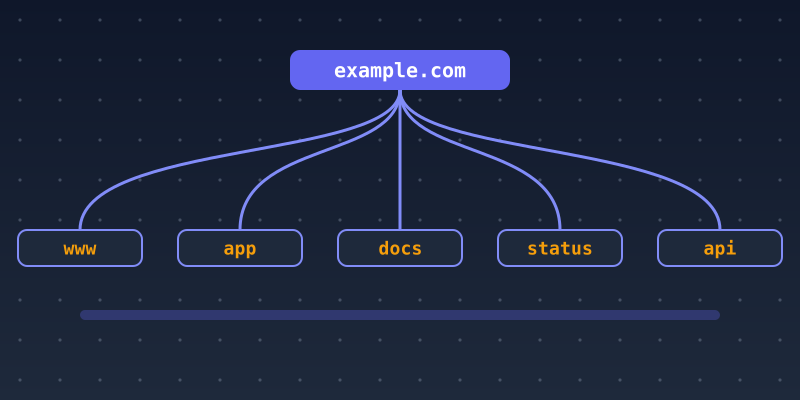
The most universal subdomains serve standardized purposes the internet expects. The www subdomain traditionally serves the main website. The mail or smtp subdomain is used in email MX and SPF records for mail routing. The api subdomain isolates application programming interfaces from the main website. The docs subdomain hosts documentation. The status subdomain hosts a status page for service monitoring. The cdn subdomain points to a content delivery network. Many organizations also use environment-specific subdomains: staging.example.com for pre-production testing, dev.example.com for development environments, and app.example.com to separate web application functionality from marketing pages hosted at the root domain.
Subdomains vs. Subdirectories: Which Should You Use?
One of the most common decisions in web architecture is whether new content or functionality should live at a subdomain (blog.example.com) or a subdirectory (example.com/blog). From a pure SEO perspective, subdirectories are generally preferred because they inherit the root domain's authority and backlink profile — search engines see all subdirectory content as part of the same site. Subdomains are treated by search engines as separate entities that must build their own authority. However, subdomains are technically superior when the content requires a separate server, a different technology stack, independent SSL certificates, or complete isolation from the main site's codebase. A SaaS application, a community forum, and an e-commerce storefront are all strong subdomain candidates even with the SEO trade-off.
Wildcard Subdomains and Multi-Tenant Applications
A wildcard subdomain, created by adding a DNS record with an asterisk (*) as the subdomain label, routes all unspecified subdomain requests to a single server or IP address. This powers multi-tenant applications where each customer gets their own branded subdomain — customer1.example.com, customer2.example.com — without requiring a separate DNS record for each one. The web server then reads the subdomain from the HTTP Host header and serves the appropriate tenant content. Wildcard DNS records require careful server-side handling to avoid exposing unintended content at random subdomains and require a wildcard SSL certificate to serve HTTPS across all subdomain combinations. Learn more at SubDoms or contact us for subdomain configuration help.